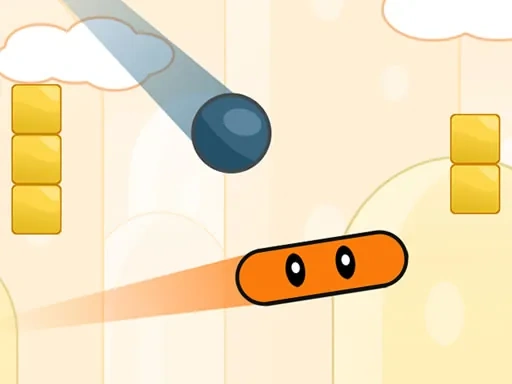
Neon Ping Pong 2.0: The Championship Edition is a vibrant reimagining of the classic arcade table tennis experience, set within a pulsating digital arena. The game's core identity is built around its striking neon aesthetic, which transforms every match into a visually captivating light show. As the ball streaks across the screen, it leaves trails of brilliant color against the dark court, making each rally not just a test of skill but a dynamic spectacle. This isn't merely a graphical update; the neon theme is integral to the game's fast-paced, energetic feel, creating an atmosphere that is both nostalgic for arcade purists and exciting for new players. The Championship Edition elevates the competition by offering two distinct ways to play. You can enter the solo arena to face off against a sophisticated and adaptive AI opponent, designed to challenge your reflexes and strategic thinking across increasing difficulty levels. Alternatively, the heart of Neon Ping Pong shines in its local multiplayer mode, where you can challenge a friend side-by-side for the ultimate bragging rights in intense, head-to-head duels. True to its 2.0 designation, this version introduces a robust Settings Menu that puts you in complete control of your match parameters. This feature allows you to tailor the core gameplay to your preference, adjusting your paddle's size for greater defensive coverage or offensive precision, and fine-tuning the ball's maximum speed to create anything from a strategic, methodical volley to a blisteringly fast exchange. These customization options ensure that every session of Neon Ping Pong can be uniquely yours, allowing you to craft the perfect balance between challenge and fun. Whether you're honing your skills alone or engaging in a friendly (or fiercely competitive) local showdown, Neon Ping Pong delivers a consistently responsive and engaging physics-based gameplay loop that is easy to learn but difficult to master.
Neon Ping Pong Instructions
Q: How do I control my paddle in Neon Ping Pong?
A: Player 1 (Left side) uses the W and S keys, or can move their mouse/finger on the left half of the screen. Player 2 (Right side) uses the UP and DOWN arrow keys, or can move their mouse/finger on the right half.
Q: Can I customize my gameplay experience in Neon Ping Pong?
A: Absolutely. Access the in-game Settings Menu to personally adjust your paddle size and the maximum ball speed, allowing you to create your ideal match dynamic.