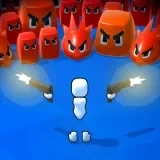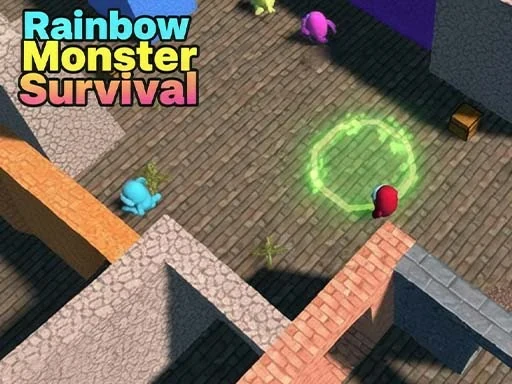
Rainbow Monster Survival is a horror game that transforms a seemingly innocent setting into a terrifying prison. You find yourself trapped alone in a deserted playground, but this is no ordinary playground. It is the domain of the Rainbow Monsters, vibrant yet deeply unsettling creatures whose colorful forms hide a deadly nature. Your objective in Rainbow Monster Survival is deceptively simple: locate and collect all the hidden blocks scattered across the map. However, achieving this goal is a constant battle for survival as the area is relentlessly patrolled by the monsters. The core of Rainbow Monster Survival is built on stealth, timing, and acute awareness. You must learn to move silently, using the shadows and the environment to your advantage. Strategic hiding, such as concealing yourself within boxes or behind structures, becomes a vital skill to avoid detection. The tension is relentless, requiring you to constantly listen for the distinct, eerie sounds and footsteps that signal an approaching Rainbow Monster. Each level intensifies this hunt, pushing your survival instincts to the limit. Rainbow Monster Survival focuses on delivering a pure, moment-to-moment horror experience through straightforward mechanics. The controls are intuitive, putting the emphasis squarely on the player's decisions and reactions. Every corner turned, every block approached, carries the risk of a deadly encounter. The fear of being discovered by these uniquely horrifying entities creates a compelling and tense loop of risk and reward. Your mission in Rainbow Monster Survival is clear: navigate the nightmare playground, outsmart the colorful horrors that inhabit it, and find all the crucial blocks needed for your escape. The game strips away distractions to ask one fundamental, pressing question: do you have the nerve to survive the rainbow-hued nightmare?
Rainbow Monster Survival Instructions
Q: How do I move my character in Rainbow Monster Survival?
A: You can control your character's movement using two primary methods. For traditional keyboard input, use the WASD keys. Alternatively, you can swipe directly on the on-screen virtual joystick for touch or mouse-based directional control.