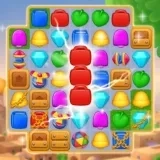
Safari Match invites you into the heart of the wild with its engaging match-3 puzzle gameplay. In this game, your adventure revolves around connecting vibrant animal-themed blocks by swapping adjacent ones to form lines of three or more identical creatures. Each level in Safari Match presents a unique challenge, tasking you with achieving specific goals within a limited number of moves. As you advance through hundreds of levels, the puzzles become more intricate, requiring thoughtful strategy and planning. The visually rich safari landscapes provide a captivating backdrop for your puzzle-solving journey. To help you overcome tougher obstacles, Safari Match features a variety of useful boosters and special block combinations. These power-ups, earned through gameplay, can clear entire rows, target tricky spots, or trigger satisfying chain reactions, turning the tide in difficult levels. The controls in Safari Match are designed to be intuitive, making it easy for players of all ages to start playing immediately. However, mastering the game's mechanics and learning to use boosters effectively offers a deep and rewarding challenge for dedicated puzzle fans. From playful monkeys to majestic elephants, the charming animal blocks and immersive safari theme create a cohesive and enjoyable experience. Optimized for smooth performance, you can enjoy Safari Match seamlessly on any device. Whether you're playing on a phone during a break, a tablet at home, or a desktop computer, the game offers consistent, engaging entertainment. Dive into Safari Match to test your skills, enjoy the vibrant wildlife theme, and experience endless puzzle fun.
Safari Match Instructions
Q: How do I start playing Safari Match on my computer?
A: In Safari Match on desktop, use your mouse to click and drag an animal block to swap it with an adjacent one, aiming to match three or more of the same animal.
Q: What are the controls for Safari Match on a phone or tablet?
A: On mobile devices, simply tap a block in Safari Match and then swipe in any direction to swap it with a neighboring block and create matching lines.